> ## Documentation Index
> Fetch the complete documentation index at: https://docs.trykondo.com/llms.txt
> Use this file to discover all available pages before exploring further.
# HubSpot
### Overview
The Kondo \<> HubSpot integration allows you to
* Sync DMs to the contact activity feed as LinkedIn Message objects
* Sync fields from Kondo such as labels, notes, and URL to HubSpot contact properties
* Add links to HubSpot and other HubSpot fields to the Kondo side panel
### Configuration
1. To connect Kondo to HubSpot, go to Settings -> Integrations -> HubSpot or click [this link](https://app.trykondo.com/integrations/hubspot) to connect and authenticate with a HubSpot admin account
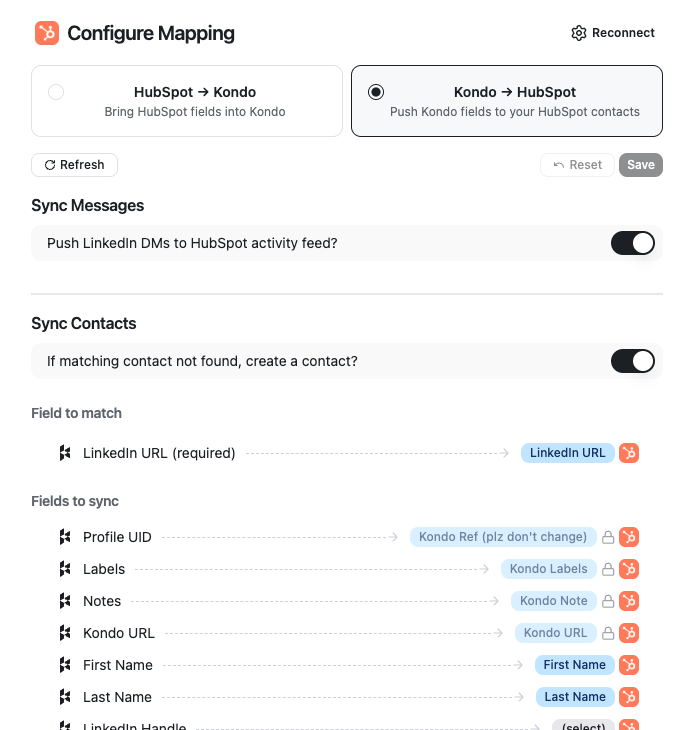
2. Configure mapping for Kondo -> HubSpot
* We map records in Kondo to HubSpot records by using the contact's LinkedIn URL as an identifier.
* Toggle 'Sync Messages' if you want to add DMs to the activity feed. If you leave this toggled off, only fields will sync.
* **Note on message syncing:**
* New messages sent or received while Kondo is open will sync to a LinkedIn message object in the HubSpot activity feed. If you leave Kondo and return later, only the latest / newest message will sync
* In addition, Kondo will create a Note in the HubSpot contact record with the entire history of the conversation. This note will update automatically whenever you step into a chat in Kondo
* Toggle 'Sync Contacts' if you want new Contacts to be created if one with a matching LinkedIn URL is not found.
* Edit optional field mapping below if you want to map other Kondo properties to your own HubSpot custom fields
 3. Configure fields to pull from HubSpot -> Kondo
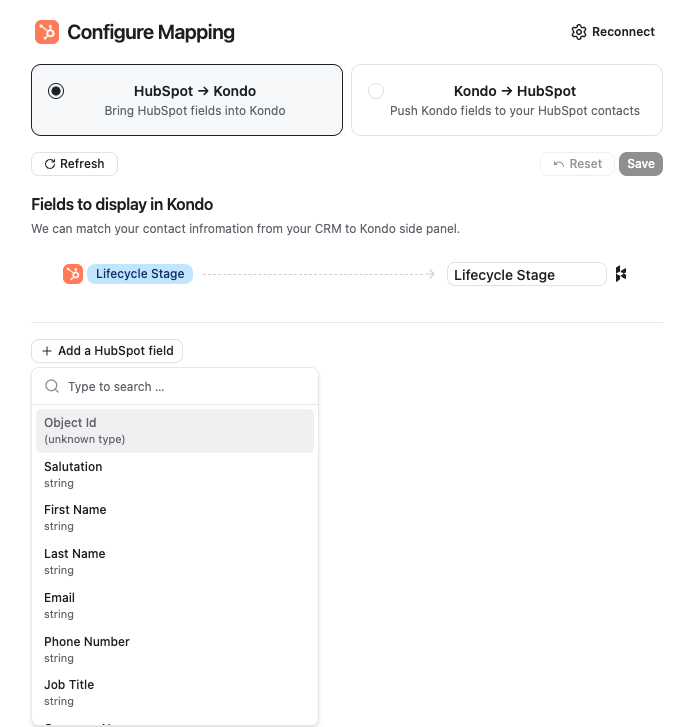
* Kondo will display a link to the matching HubSpot contact in the right side panel by default. You can optionally add additional fields to pull from HubSpot contact records into the Kondo side panel.
3. Configure fields to pull from HubSpot -> Kondo
* Kondo will display a link to the matching HubSpot contact in the right side panel by default. You can optionally add additional fields to pull from HubSpot contact records into the Kondo side panel.