> ## Documentation Index
> Fetch the complete documentation index at: https://docs.trykondo.com/llms.txt
> Use this file to discover all available pages before exploring further.
# Labels
To label a conversation in Kondo, click the 'Add Label' button in the right side panel, or use the shortcut L.
Each label you create will have its own separate inbox in the left side bar.
New messages in labelled conversations will show up in their own separate inbox, and in the All Conversations inbox.
### Customizing labels
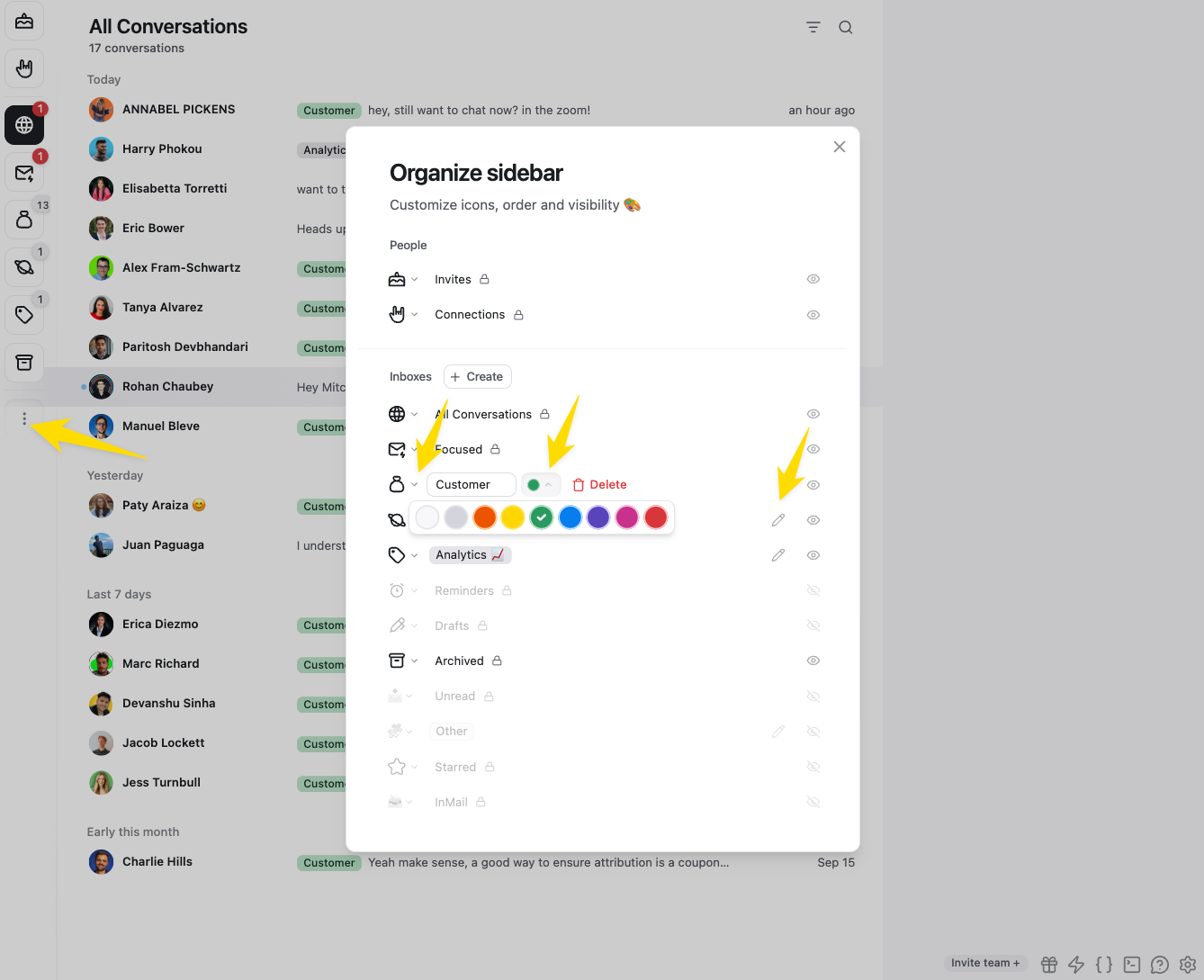
Open the organize sidebar menu on the left to change the icons, name, color, order, and visibility of label inboxes
 ### Multiple labels
You can add as many labels as you want to a conversation. It will show up in each label inbox.
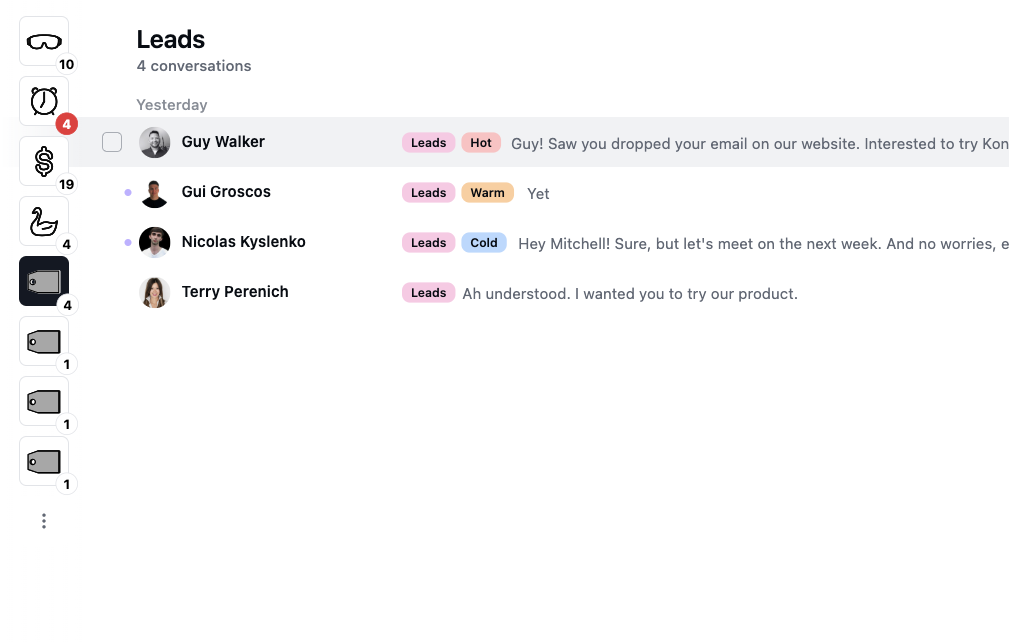
Labels can be used to create a 'group'. For example, you may have Leads, and want to further label them as Hot, Warm, and Cold:
### Multiple labels
You can add as many labels as you want to a conversation. It will show up in each label inbox.
Labels can be used to create a 'group'. For example, you may have Leads, and want to further label them as Hot, Warm, and Cold:
 ### Archiving in a label inbox
After moving conversations to a label inbox, you can archive and set reminders on them the same way you would in the main inbox.
Conversations will automatically return to the label inbox when you get a new reply or a reminder is due.
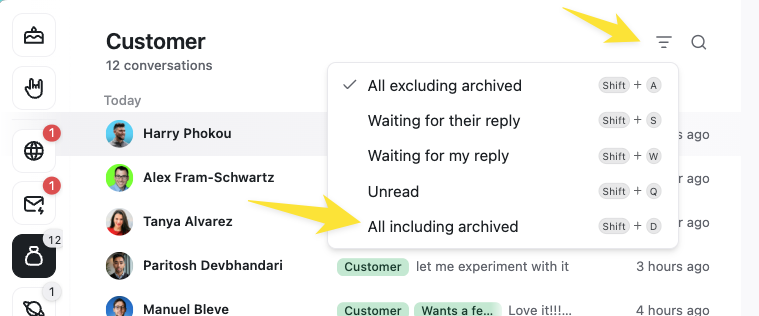
You can also see all conversations including those you've archived by changing the filter setting:
### Archiving in a label inbox
After moving conversations to a label inbox, you can archive and set reminders on them the same way you would in the main inbox.
Conversations will automatically return to the label inbox when you get a new reply or a reminder is due.
You can also see all conversations including those you've archived by changing the filter setting: