> ## Documentation Index
> Fetch the complete documentation index at: https://docs.trykondo.com/llms.txt
> Use this file to discover all available pages before exploring further.
# Make
Webhooks require a Business tier plan to be enabled
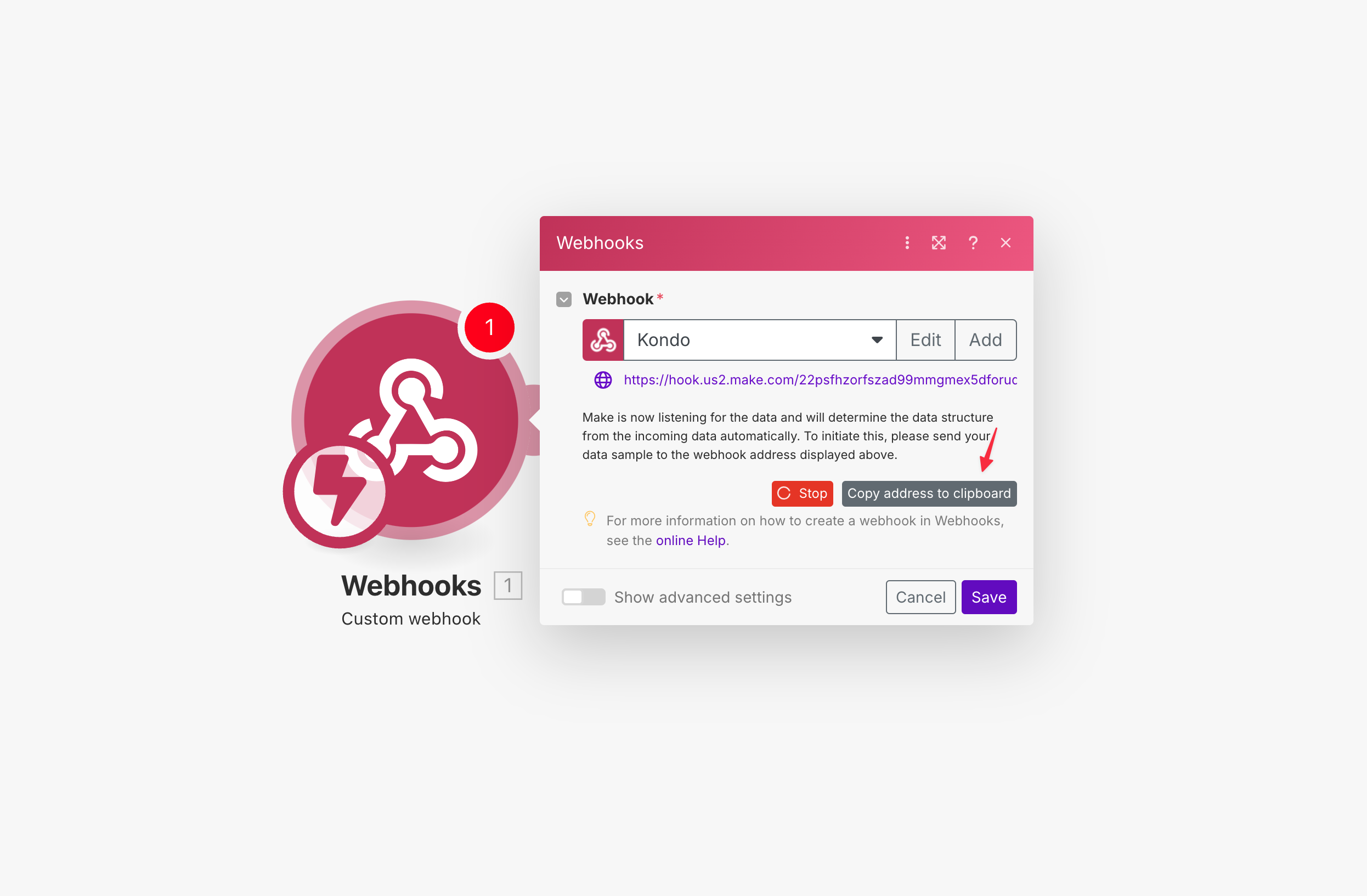
### Step 1: Create a Custom Webhook trigger in Make and copy the URL
 ### Step 2: Paste the URL in Kondo
Go to [app.trykondo.com/webhooks/new](https://app.trykondo.com/webhooks/new) or click the ⚡ in the bottom right menu in the app and paste in the URL, then click "test then save"
###
### Step 2: Paste the URL in Kondo
Go to [app.trykondo.com/webhooks/new](https://app.trykondo.com/webhooks/new) or click the ⚡ in the bottom right menu in the app and paste in the URL, then click "test then save"
###  Step 3: Check Make for the test event
Go back to Make and click 'find new records', then use the test payload to continue your workflow
Step 3: Check Make for the test event
Go back to Make and click 'find new records', then use the test payload to continue your workflow