> ## Documentation Index
> Fetch the complete documentation index at: https://docs.trykondo.com/llms.txt
> Use this file to discover all available pages before exploring further.
# Label groups
***
### How to use multi-labelling to create a label group
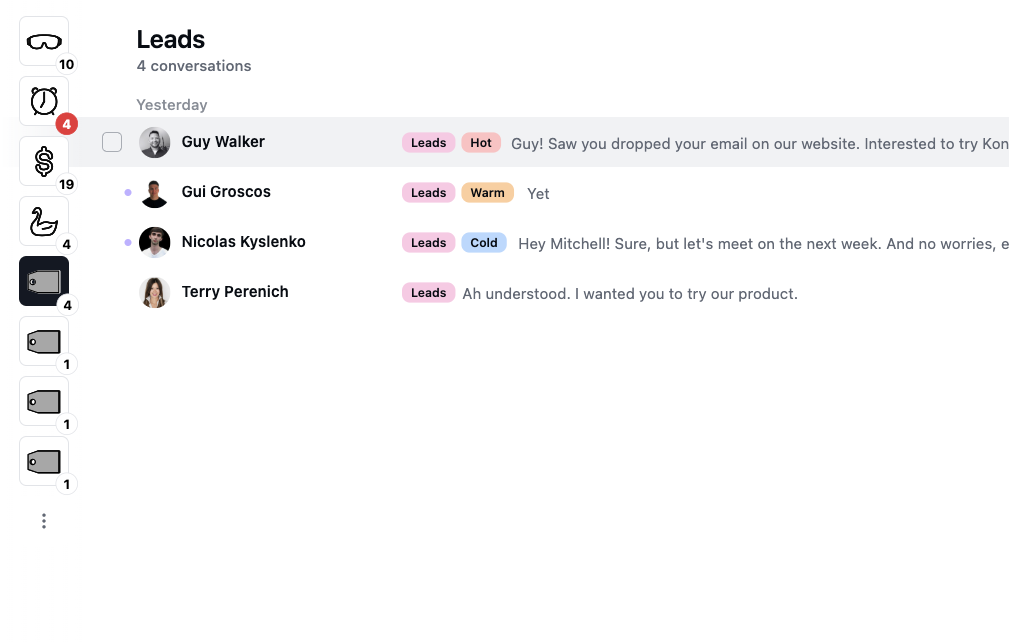
Kondo allows you to apply multiple labels to conversations. You can use this to create label groups. For example, you may have Leads, and want to further label them as Hot, Warm, and Cold
 ### Hiding sub-labels from the side bar
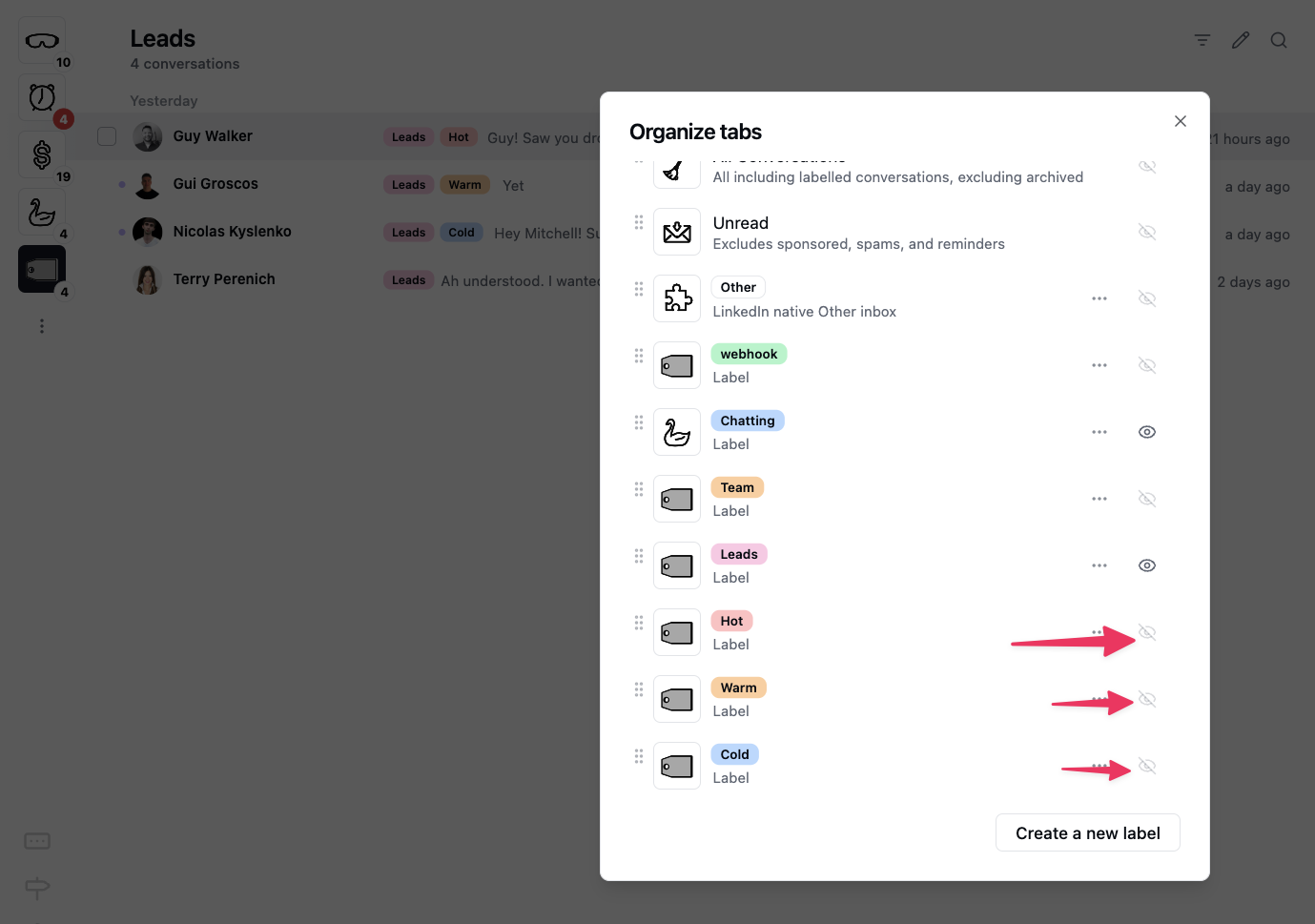
If you set up your labels this way, you will now have a tab on the left side bar for each parent label and sub-label. If you don’t want to see the sub-labels in the side bar, you can hide them with the organize tabs menu.
In this example, I hide the Hot, Warm and Cold labels from the side bar, but still am able to see them as labels in the Leads label inbox.
### Hiding sub-labels from the side bar
If you set up your labels this way, you will now have a tab on the left side bar for each parent label and sub-label. If you don’t want to see the sub-labels in the side bar, you can hide them with the organize tabs menu.
In this example, I hide the Hot, Warm and Cold labels from the side bar, but still am able to see them as labels in the Leads label inbox.