> ## Documentation Index
> Fetch the complete documentation index at: https://docs.trykondo.com/llms.txt
> Use this file to discover all available pages before exploring further.
# Multiple accounts
Kondo does not support a unified inbox for multiple LinkedIn accounts.
This is because Kondo does not proxy your account (log in to your Linkedin on our servers), and does not receive or store your Linkedin message data. We do this to in order to minimize risk to your LinkedIn account and to keep your data private.
### So how would I manage multiple LinkedIn accounts with Kondo?
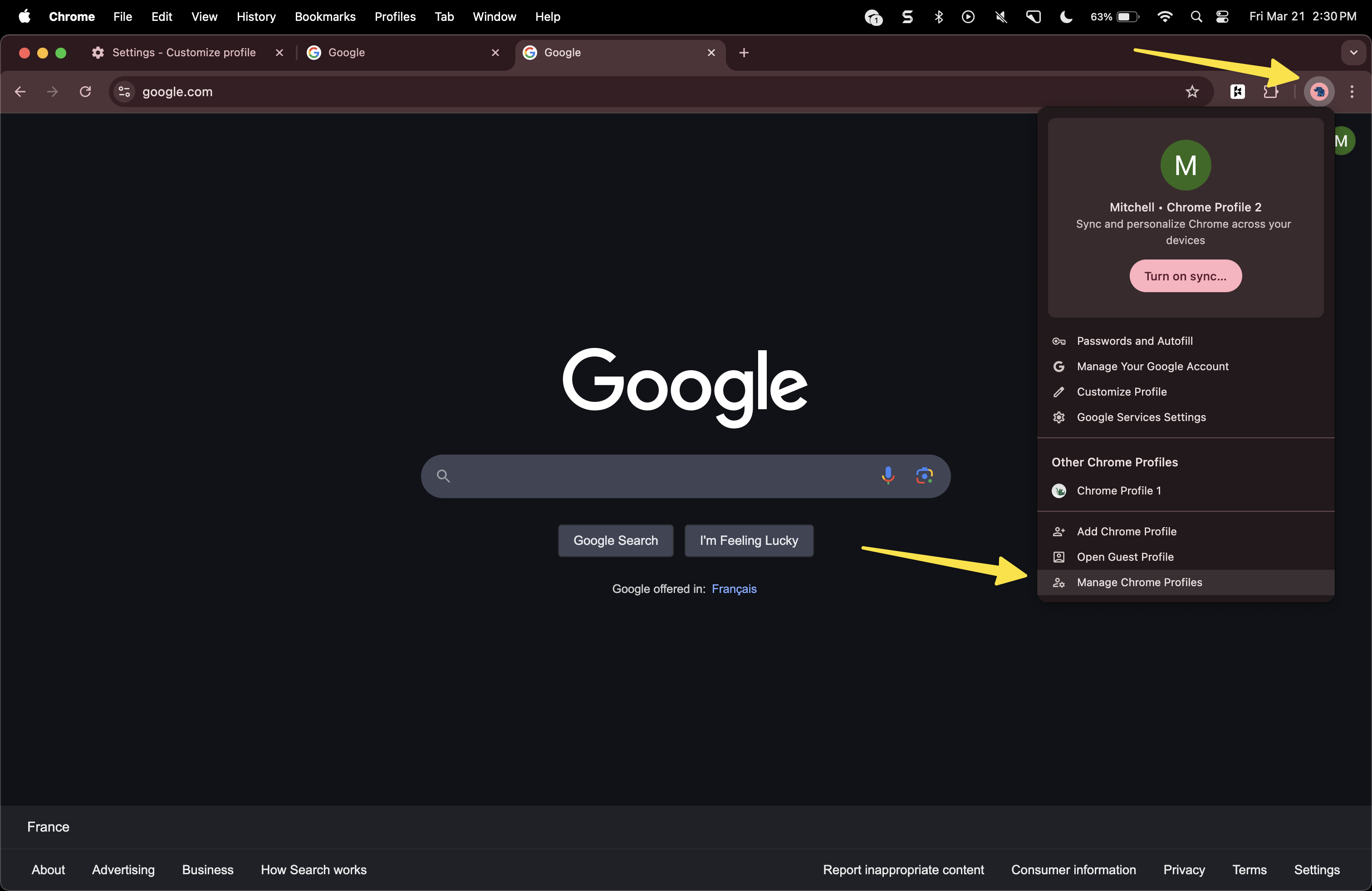
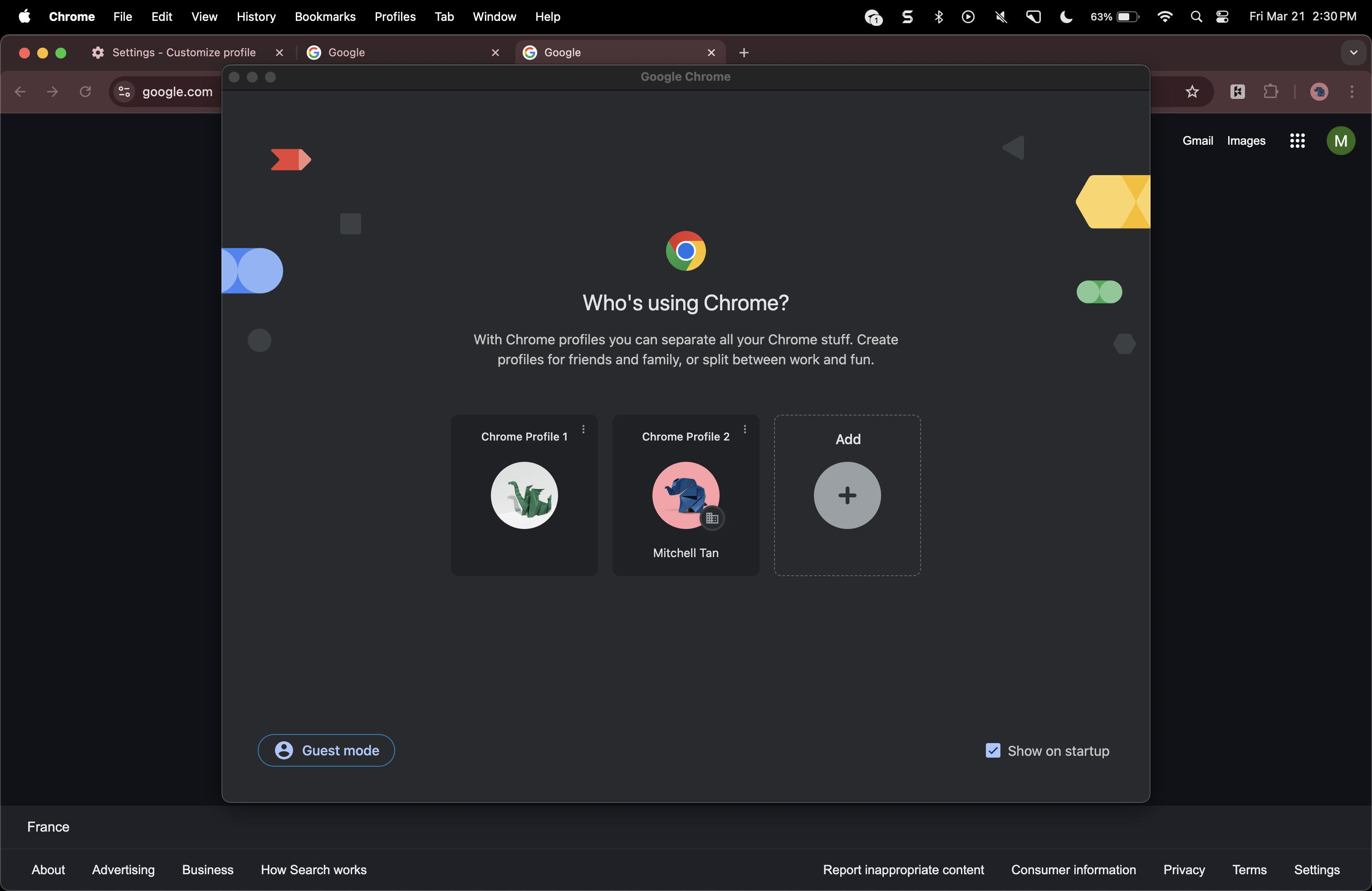
To manage multiple LinkedIn accounts with Kondo, you can set up separate chrome profiles for each of the accounts you'd like to manage.
Click the profile button in Chrome:
 And create a new profile:
 In the new chrome profile,
* Log in to your second LinkedIn account on linkedin.com
* Install the Kondo chrome extension at [app.trykondo.com](http://app.trykondo.com)
* Sign in to Kondo with a different email address (you'll receive a one-time login code)
Many agencies use email aliases to manage multiple Kondo accounts, e.g. [mitchell+client1@trykondo.com](mailto:mitchell+client1@trykondo.com), [mitchell+client2@trykondo.com](mailto:mitchell+client2@trykondo.com). Login codes for all aliases are delivered to your main email.
In the new chrome profile,
* Log in to your second LinkedIn account on linkedin.com
* Install the Kondo chrome extension at [app.trykondo.com](http://app.trykondo.com)
* Sign in to Kondo with a different email address (you'll receive a one-time login code)
Many agencies use email aliases to manage multiple Kondo accounts, e.g. [mitchell+client1@trykondo.com](mailto:mitchell+client1@trykondo.com), [mitchell+client2@trykondo.com](mailto:mitchell+client2@trykondo.com). Login codes for all aliases are delivered to your main email.
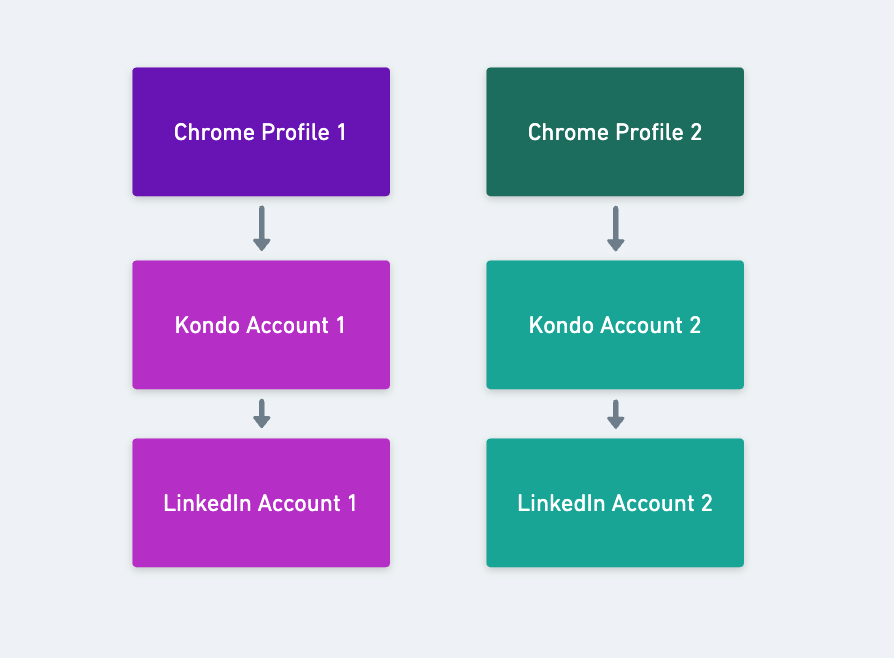 ### Switching between accounts
Now, you can simply switch between Chrome profiles to access each Kondo / LinkedIn account you've set up
### Do I need separate subscriptions for each account?
No, you can add multiple accounts to the same subscription by adding to team: app.trykondo.com/settings/team
Adding multiple accounts to the same team will allow you to share snippets, labels, and integrations between accounts so you only have to set them up once.
### Switching between accounts
Now, you can simply switch between Chrome profiles to access each Kondo / LinkedIn account you've set up
### Do I need separate subscriptions for each account?
No, you can add multiple accounts to the same subscription by adding to team: app.trykondo.com/settings/team
Adding multiple accounts to the same team will allow you to share snippets, labels, and integrations between accounts so you only have to set them up once.