> ## Documentation Index
> Fetch the complete documentation index at: https://docs.trykondo.com/llms.txt
> Use this file to discover all available pages before exploring further.
# Sales Navigator
Kondo gets messages from both your regular LinkedIn inbox and Sales Navigator inbox and puts them in one place.
**Setup instructions**
1. To enable this, you will need a Business tier plan
2. Once you have that, go to LinkedIn and open your Sales Navigator inbox once
3. Return to Kondo and your Sales Nav messages will start appearing in your inbox
**Where will my Sales Nav messages show?**
Your Sales Nav messages will show up in all inboxes alongside regular linkedin messages, with a blue indicator.
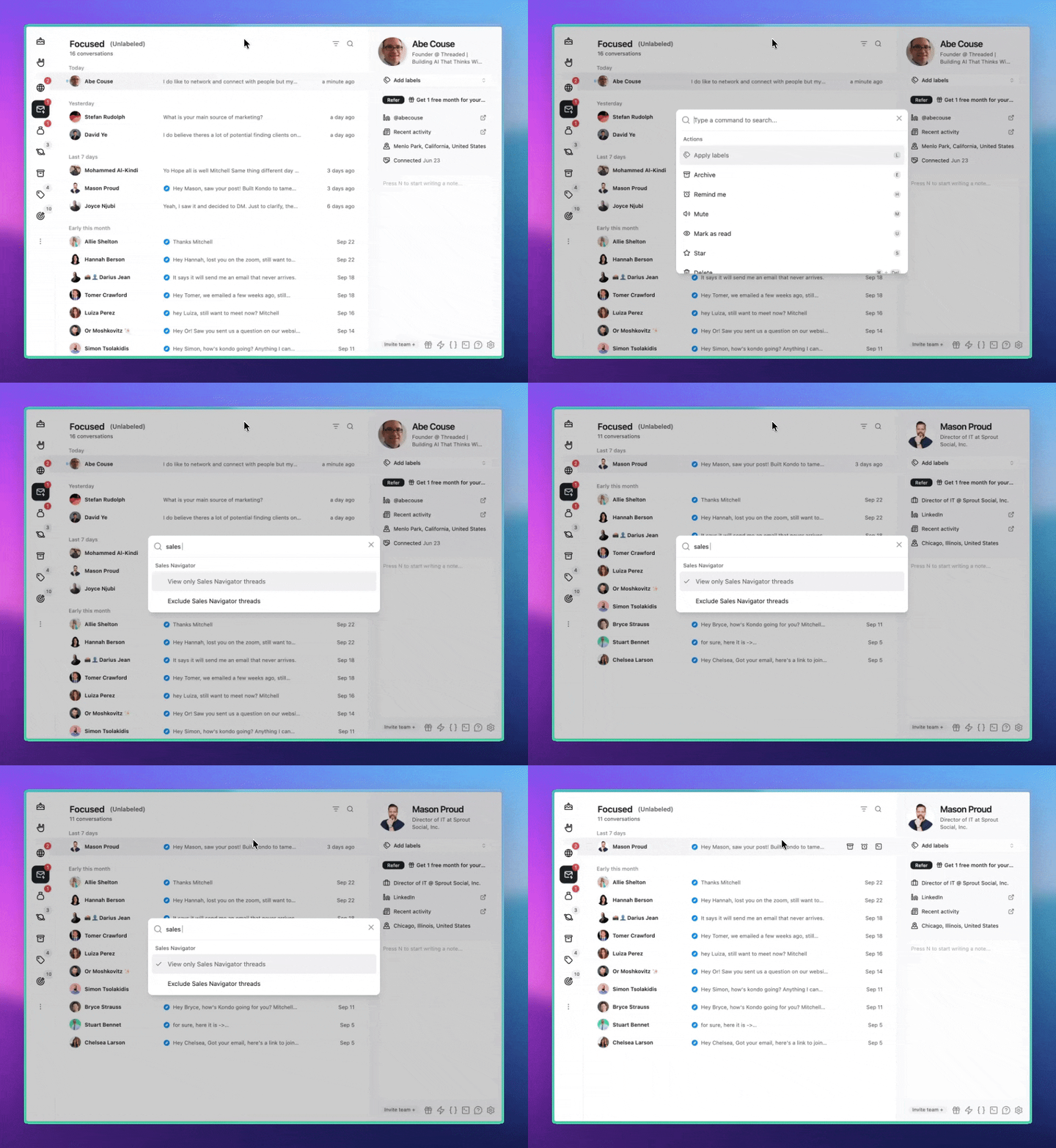
You can Cmd + K -> Sales Nav to toggle visibility:
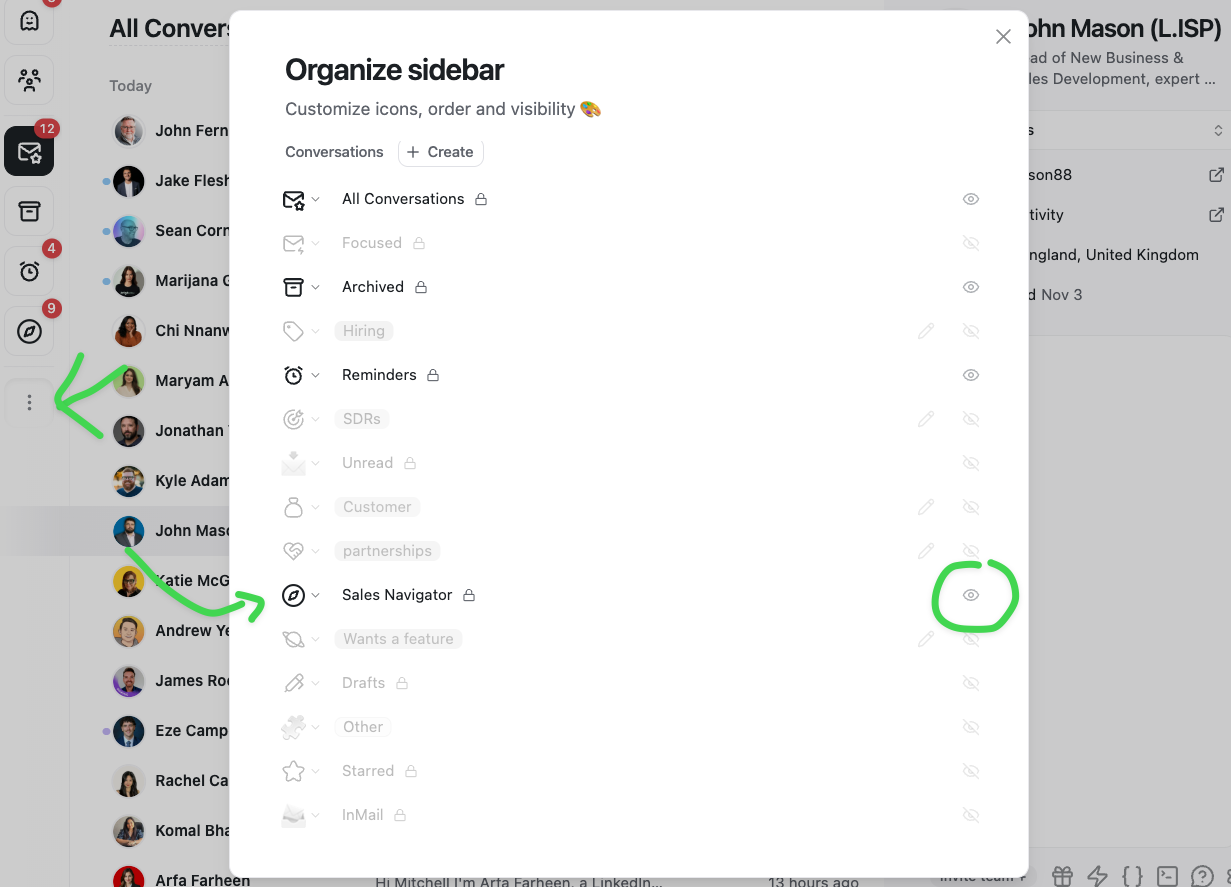
 You can also enable the Sales Navigator inbox from the Organize Sidebar menu: