> ## Documentation Index
> Fetch the complete documentation index at: https://docs.trykondo.com/llms.txt
> Use this file to discover all available pages before exploring further.
# Salesforce
### Overview
The Kondo \<> Salesforce integration allows you to
* Sync sent and received DMs to the Contacts activity timeline as Tasks
* Sync fields from Kondo such as labels, notes, and URL to Salesforce contact fields
* Add links to Salesforce contacts and other Salesforce fields on display in the Kondo side panel
Configuration
1. To connect Kondo to Salesforce, go to Settings -> Integrations -> Salesforce
2. Install the managed package
3. Connect to Salesforce
1. If you don't have a sandbox instance or custom domain, leave the fields blank and click connect
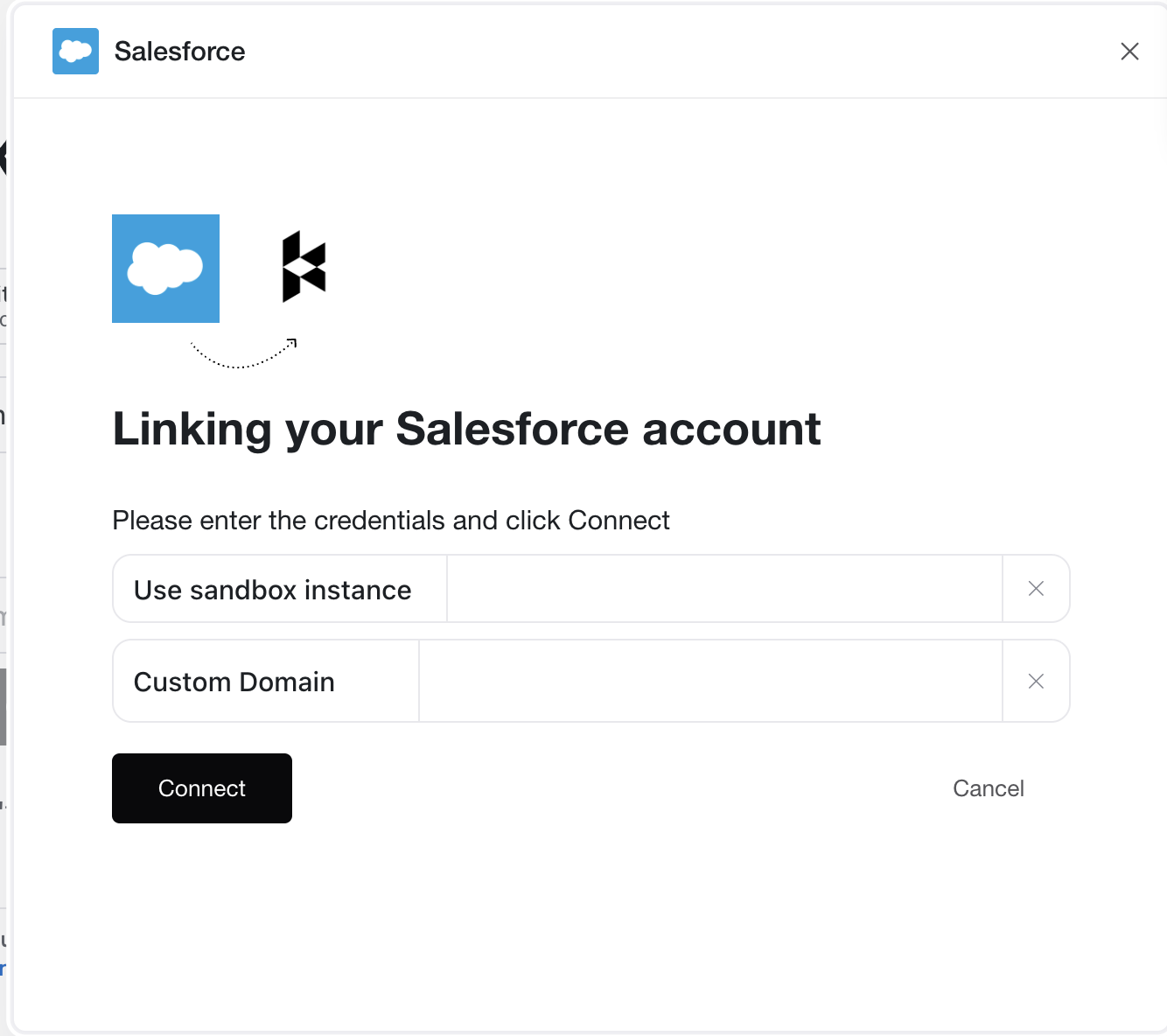 4. Configure mapping for Kondo -> Salesforce
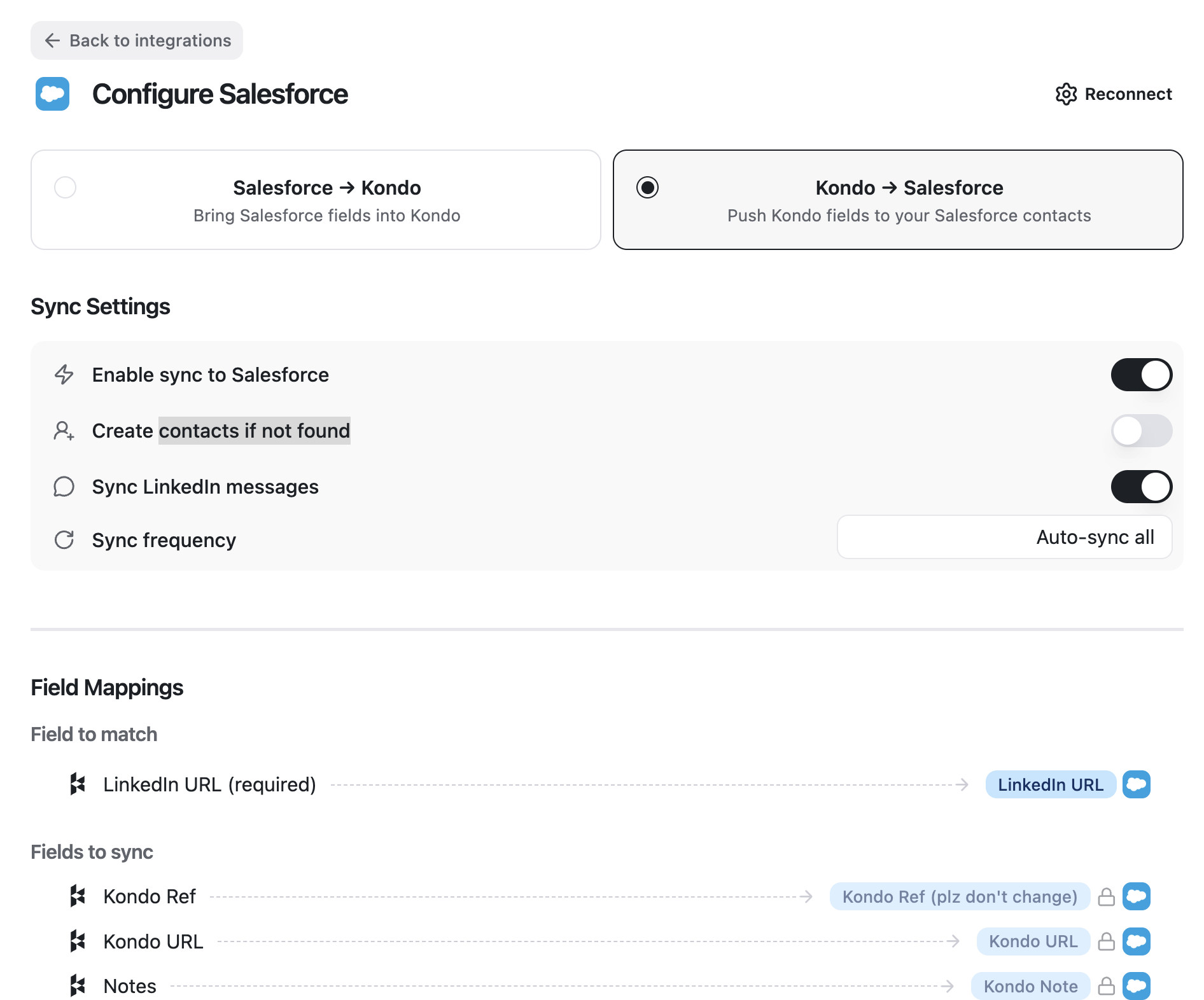 * We map records in Kondo to Salesforce records by using the contact's **LinkedIn URL** as an identifier. Point Kondo to the field in Salesforce you store LinkedIn URLs in.
* If a Matching LinkedIn URL is not found, Kondo will either not update anything or create a new contact, if you have the setting toggled on.
* Toggle 'Sync LinkedIn Messages' if you want to add DMs to the activity timeline. If you leave this toggled off, only fields will sync.
* Note on message syncing:
* New messages sent or received while Kondo is open will sync as completed Task objects in the Salesforce activity timeline. If you leave Kondo and return later, only the latest / newest message will sync
* In addition, Kondo will create a field Kondo LinkedIn History with a long text area containing the entire history of the conversation on the Salesforce contact record. This will update automatically whenever you step into a chat in Kondo
* Edit optional field mapping below if you want to map other Kondo properties to your own Salesforce custom fields
* Select sync frequency
* Auto-sync all: trigger a sync whenever a new message is sent, received, label is added, etc for all conversations
* Auto-sync labelled: trigger syncs only on labelled chats in Kondo (un-labelled chats in Kondo will never sync, use this for team members to not sync private messages
* Manual: Only syncs when the sync button is clicked
5. Configure fields to pull from Salesforce -> Kondo
* Kondo will display a link to the matching Salesforce contact in the right side panel by default. You can optionally add additional fields to pull from Salesforce contact records into the Kondo side panel.
* We map records in Kondo to Salesforce records by using the contact's **LinkedIn URL** as an identifier. Point Kondo to the field in Salesforce you store LinkedIn URLs in.
* If a Matching LinkedIn URL is not found, Kondo will either not update anything or create a new contact, if you have the setting toggled on.
* Toggle 'Sync LinkedIn Messages' if you want to add DMs to the activity timeline. If you leave this toggled off, only fields will sync.
* Note on message syncing:
* New messages sent or received while Kondo is open will sync as completed Task objects in the Salesforce activity timeline. If you leave Kondo and return later, only the latest / newest message will sync
* In addition, Kondo will create a field Kondo LinkedIn History with a long text area containing the entire history of the conversation on the Salesforce contact record. This will update automatically whenever you step into a chat in Kondo
* Edit optional field mapping below if you want to map other Kondo properties to your own Salesforce custom fields
* Select sync frequency
* Auto-sync all: trigger a sync whenever a new message is sent, received, label is added, etc for all conversations
* Auto-sync labelled: trigger syncs only on labelled chats in Kondo (un-labelled chats in Kondo will never sync, use this for team members to not sync private messages
* Manual: Only syncs when the sync button is clicked
5. Configure fields to pull from Salesforce -> Kondo
* Kondo will display a link to the matching Salesforce contact in the right side panel by default. You can optionally add additional fields to pull from Salesforce contact records into the Kondo side panel.