> ## Documentation Index
> Fetch the complete documentation index at: https://docs.trykondo.com/llms.txt
> Use this file to discover all available pages before exploring further.
# Stop Kondo from opening automatically
When the Kondo extension is installed, clicking **Messages** on LinkedIn (or visiting the messaging page) opens your Kondo inbox in a new tab. This is a preference — it's on by default, but you can turn it off without removing the extension.
### From the extension icon
Works even if you're not signed in to Kondo:
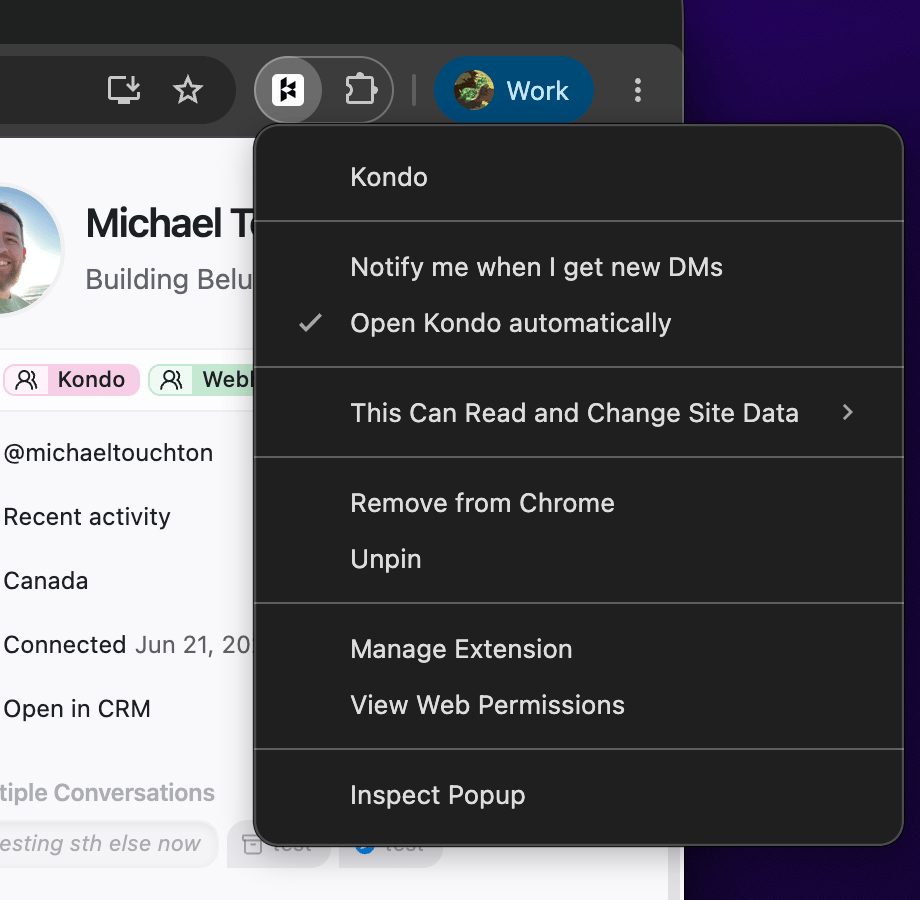
1. Right-click the Kondo icon in your browser's toolbar — if you don't see it, click the puzzle-piece icon to find it
2. Untick **Open Kondo automatically**
 ### From Kondo settings
1. In Kondo, go to [Settings → Preferences](https://app.trykondo.com/settings/preferences)
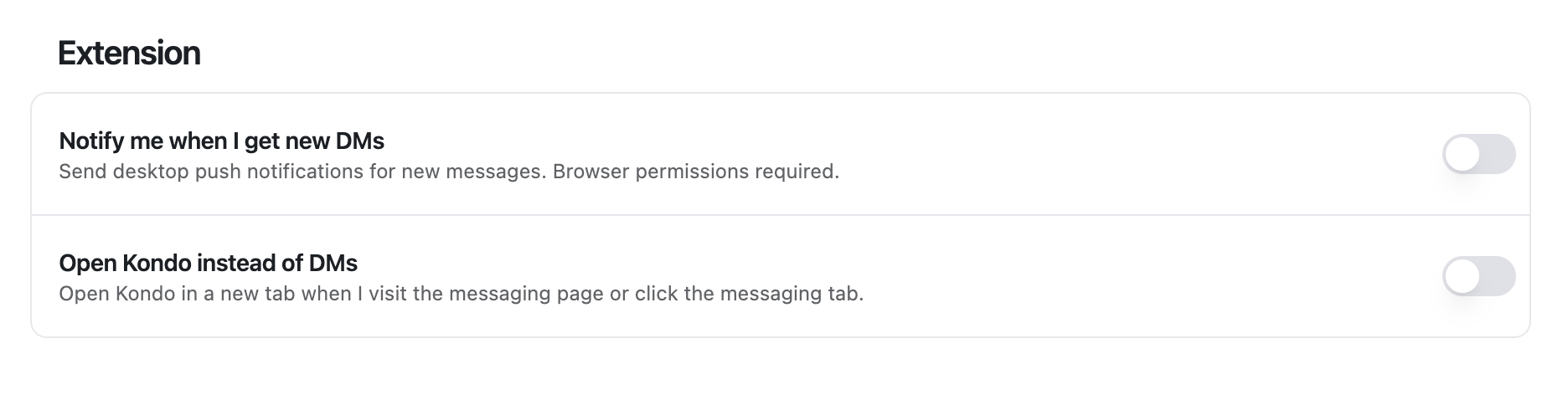
2. Under **Extension**, toggle off **Open Kondo instead of DMs**
### From Kondo settings
1. In Kondo, go to [Settings → Preferences](https://app.trykondo.com/settings/preferences)
2. Under **Extension**, toggle off **Open Kondo instead of DMs**
 Both control the same setting. Once it's off, LinkedIn's Messages button behaves normally again — and Kondo keeps working whenever you open it yourself.
***
Still stuck? [Contact us](https://www.trykondo.com/contact).
Both control the same setting. Once it's off, LinkedIn's Messages button behaves normally again — and Kondo keeps working whenever you open it yourself.
***
Still stuck? [Contact us](https://www.trykondo.com/contact).