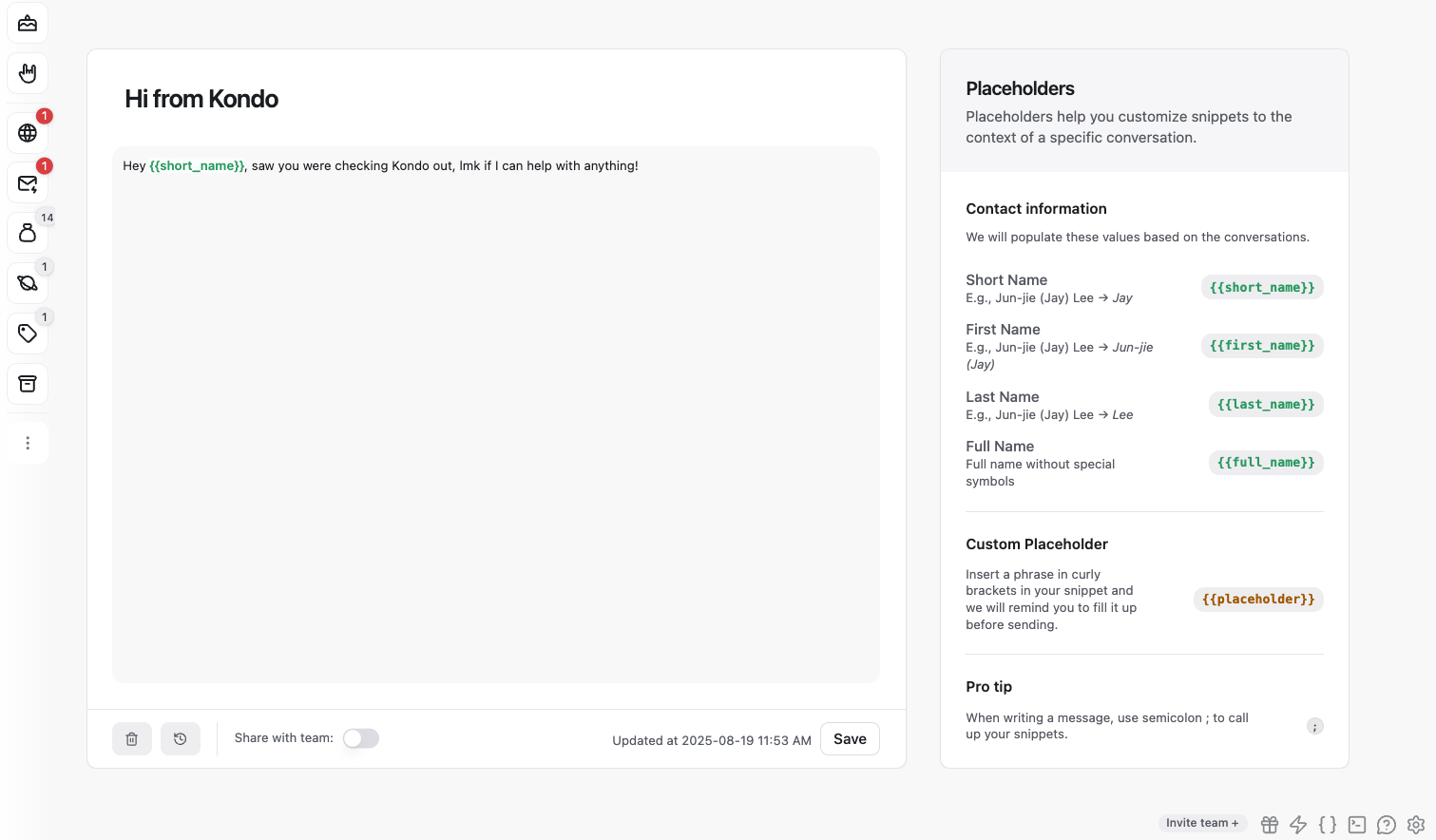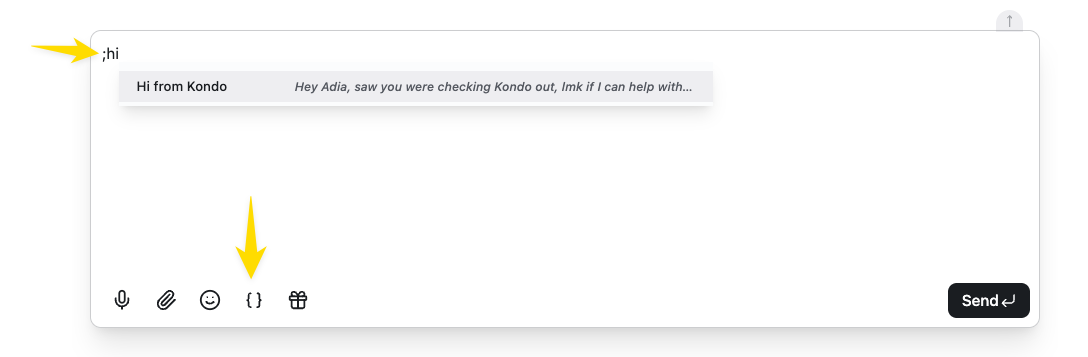
Snippets help you send templated DMs faster by saving time copy-pasting or typing the same message repeatedly. To insert a snippet, type ; in the text box or click the snippet button. CleanShot 2025-09-23 at 13.21.07.png You can keep typing the name of the snippet e.g. ;hi to pick the snippet you want to insert, then hit Enter. You can create and edit snippets in the snippet settings: https://app.trykondo.com/snippets There is no limit on the number of snippets you can create.

Variables

When creating a snippet, you can use the variables available on the right menu within your template. Kondo fills the name variables for you: {{short_name}}, {{first_name}}, {{last_name}} and {{full_name}}. Adding a custom placeholder will prompt you to fill up the variable with your own custom text before sending. You can add a custom placeholder by inserting a {{phrase}} in double curly brackets within the template (1โ€“5 words). CleanShot 2025-09-23 at 13.23.24.png